
View all users
-
It would be very useful to be able to browse through all user as opposed to having to export their data. In addition, it would useful to have the ability to export with a start and end date (to monitor the impact of certain updates).
Best Regards,
Omar -
Hi @Omar-Alzayed When apps have millions of users, browsing all users can have poor performance.
If you have a smaller number of users, it can be useful.
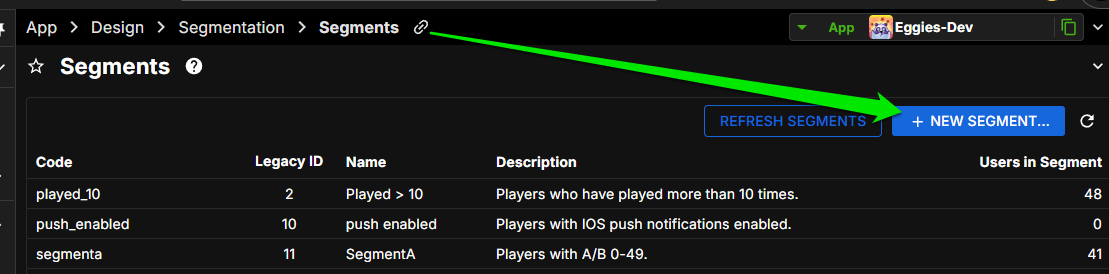
There is a way to create a segment so you can browse all your users.Go to App > Design > Segmentation > Segments
Create NEW SEGMENT
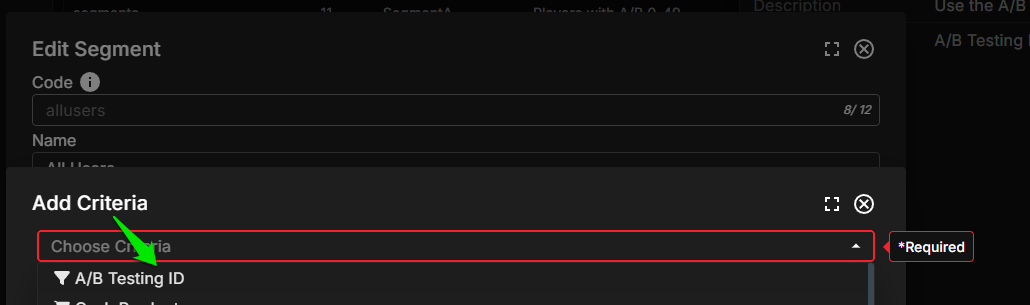
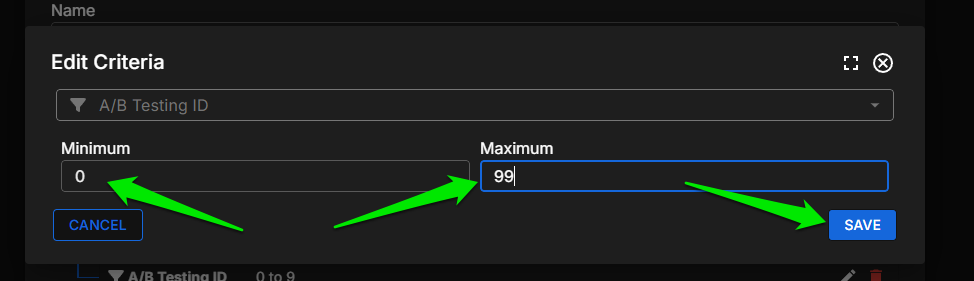
There's a couple different ways you can return ALL users. The one I like is to use the criteria A/B Testing ID 0-99 which will return all your users.
Looks something like this:
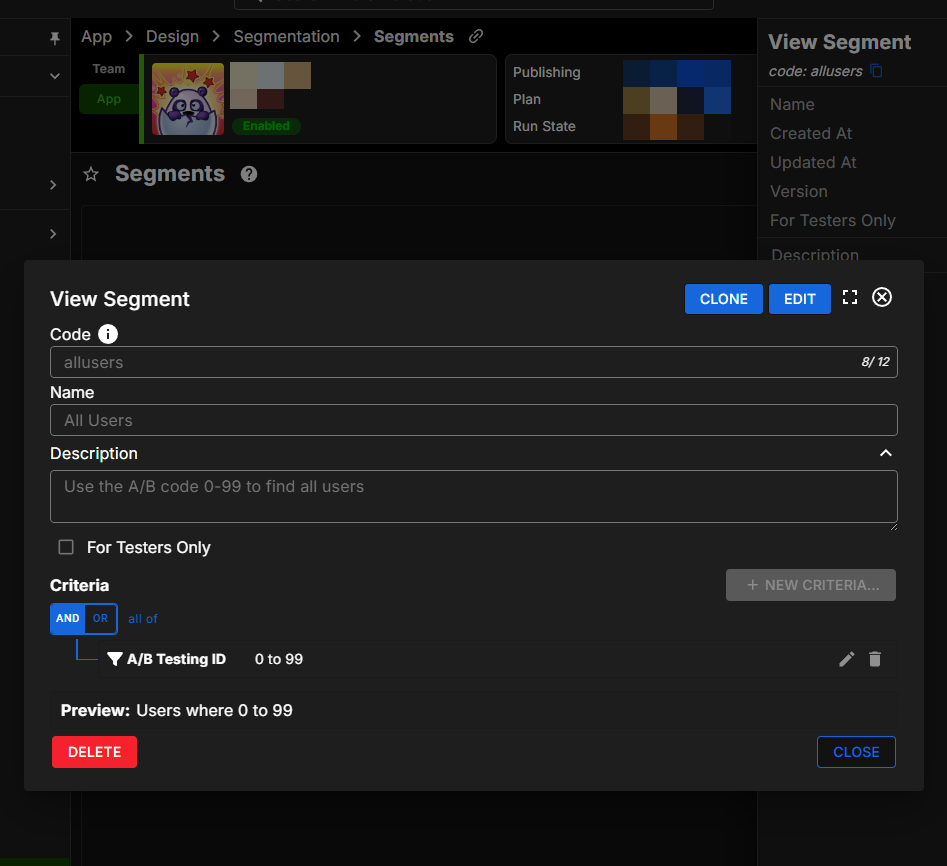
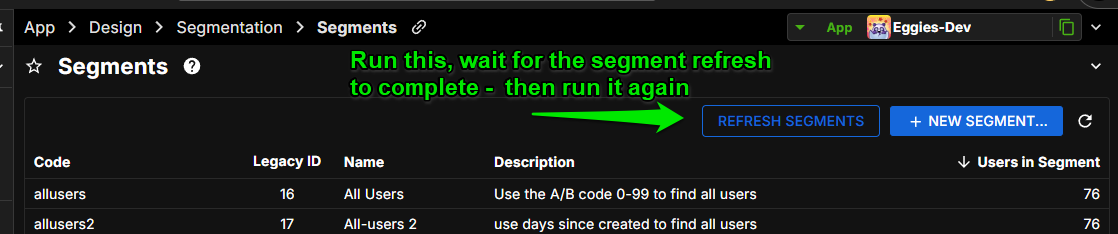
Segments are automatically run nightly at around 3am but you can press REFRESH SEGMENTS to run it immediately.
Note that the refresh will take time to complete according to your user count, you may wish to do this during low player traffic.
In the case of this particular segment, I believe the Refresh will need to run TWICE to capture all your users. (I think the AB code needs to be initialized in the first pass, and then it can be read in the second pass, capturing all of your users.)
Please take care not to launch the second Refresh before the first one completes. (If you have 10,000+ players then wait about 30 minutes or so)
Once you have players in the Segment, you can browse by Segments. Go to
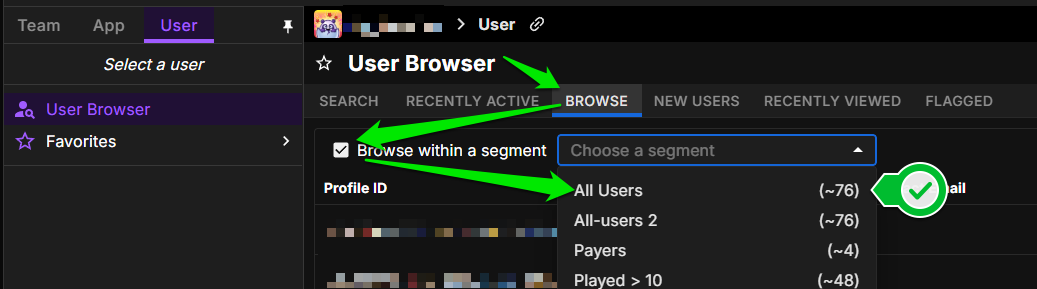
User > User BrowserChoose BROWSE, then check the box to browse within a segment. Choose the segment.
Reminder, once you have millions of users, this can be very slow. But you can create more refined Segments to filter to just the interesting users, such as Has Bought Something, Is at Least Level 10, and so on.
Segments allow compound conditions so you can really filter to exactly who you want.
Segments can also be used to target Sales and Promotions to specific player groups. For example you could create a $0.99 one-time, loss leader promo that is available to only those players who have not bought anything in your game yet. It's a very powerful system.
Could you let me know if this helped you?
Thanks
John


Hello! It looks like you're interested in this conversation, but you don't have an account yet.
Getting fed up of having to scroll through the same posts each visit? When you register for an account, you'll always come back to exactly where you were before, and choose to be notified of new replies (either via email, or push notification). You'll also be able to save bookmarks and upvote posts to show your appreciation to other community members.
With your input, this post could be even better 💗
Register Login