
Feature Request / Question: Selective Promotion Exclusion During App Deployment
-
Hello,
We're currently using the Deployment feature to propagate configuration from our dev environment to staging and production. We noticed that the deployment options allow us to exclude certain categories (e.g., Item Catalog, Leaderboards, Global Entities), which is very helpful.
However, we ran into an issue: a "Remove Ads" promotion that only exists in our dev environment was accidentally deployed to staging, and it immediately triggered a popup for users because the promotion conditions were met right away.
We'd like to ask:
-
Is there currently any way to exclude specific promotions (by name or ID) from a deployment, similar to how individual Custom Entities can be controlled per-record?
-
If this is not currently supported, would it be possible to add a per-promotion deployment toggle — similar to the Custom Entities behavior — as a feature request?
As a workaround, we're manually deleting the unwanted promotion from staging/production after each deployment, but this is error-prone and easy to miss.
Thank you!
-
-
Hi, thanks for the detailed report. At the moment, there isn’t a per-promotion exclusion toggle for deployments; the currently recommended way is to keep
Preserve Products+Pricing & Promotionsin the target environment. Your request for selective promotion exclusion makes sense. I’ll pass this along as a feature request for the team to consider. -
Thanks for the reply.
I checked the Deployment settings and tested the behavior, but it looks like there is currently no option to prevent Promotions from being overwritten during deployment.
The available “Do Not overwrite product/pricing information” option does not seem to apply to Promotions.
Thanks again for checking this.
-
@gyutaelee I will investigate the Per Promotion Deployment option you requested.
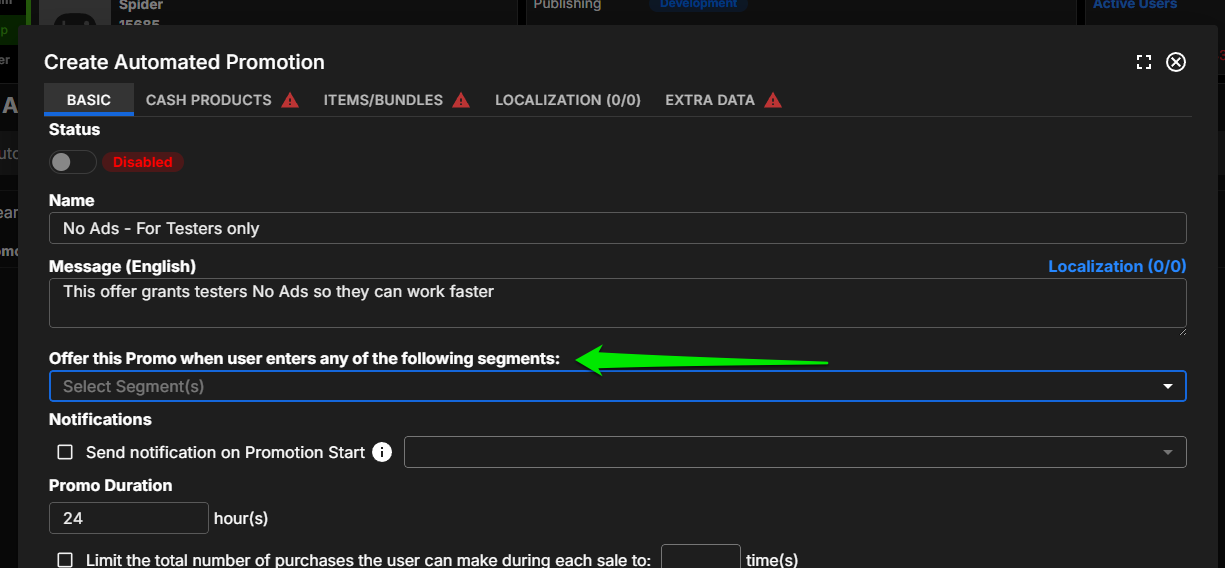
As I was working on this I thought there may be a workaround for you that you would like. This could work for your team with minimal effort and on your current version of brainCloud portal.
My solution hides the promotion so that only users you flag as TESTERS will see it.
This would let your PROD testers gain the benefit of the no-ads promotion without disrupting your monetization.
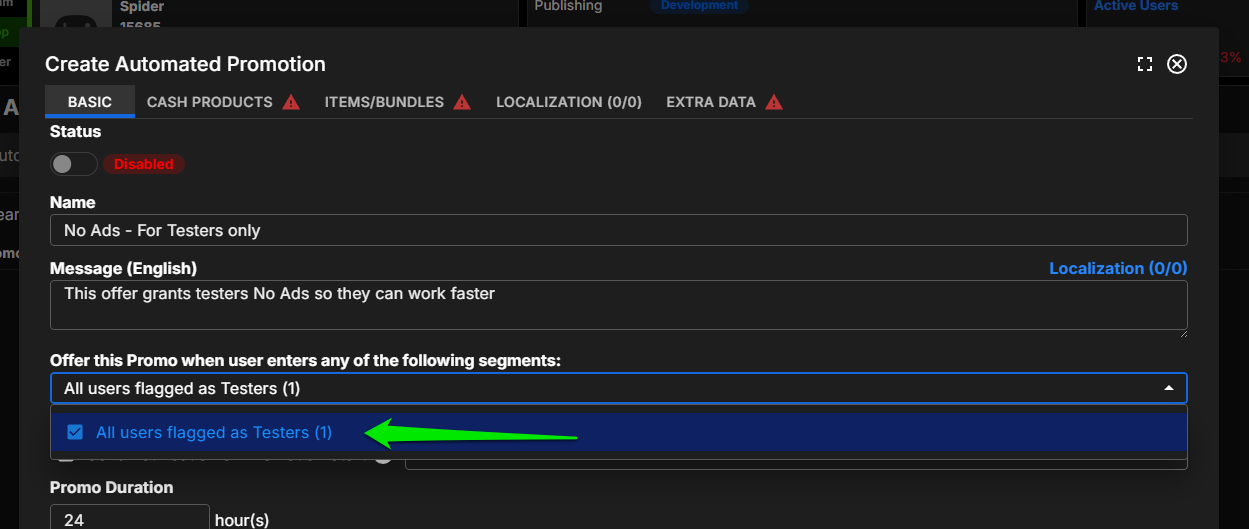
Within Automatic Promotions, there is the option to Target members of any of these segments.
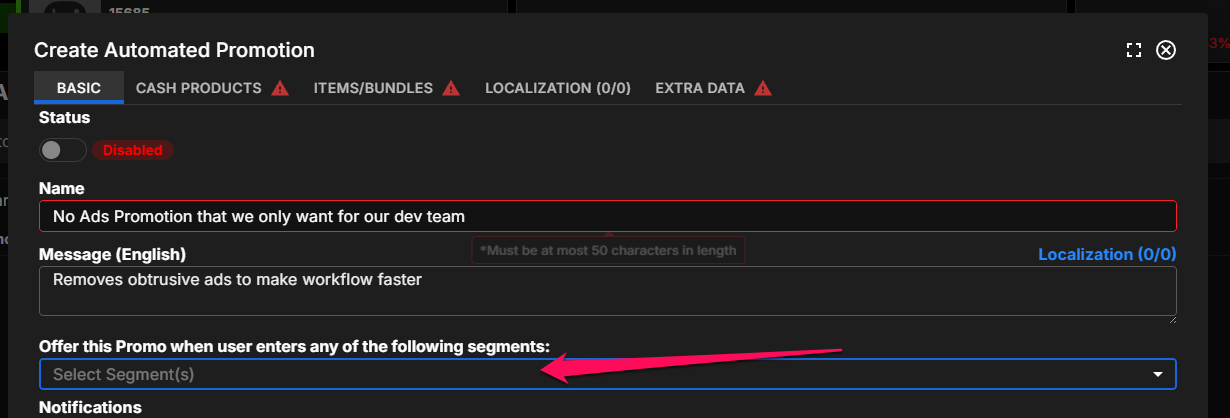
Within Scheduled Promotions, there is the option to Offer this promo to: Only users in:
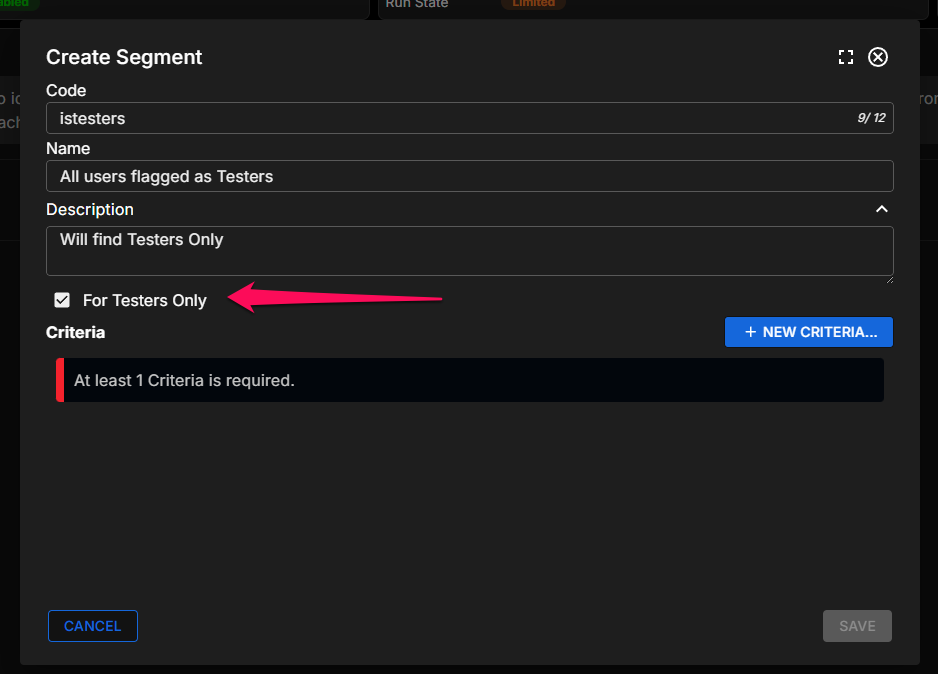
Advancing to App > Design > Segmentation > Segments we can create a segment that filters to players that are flagged as Testers.
Now, segments need to have at least one more criteria, so let's choose something like has logged in at least 1 time.
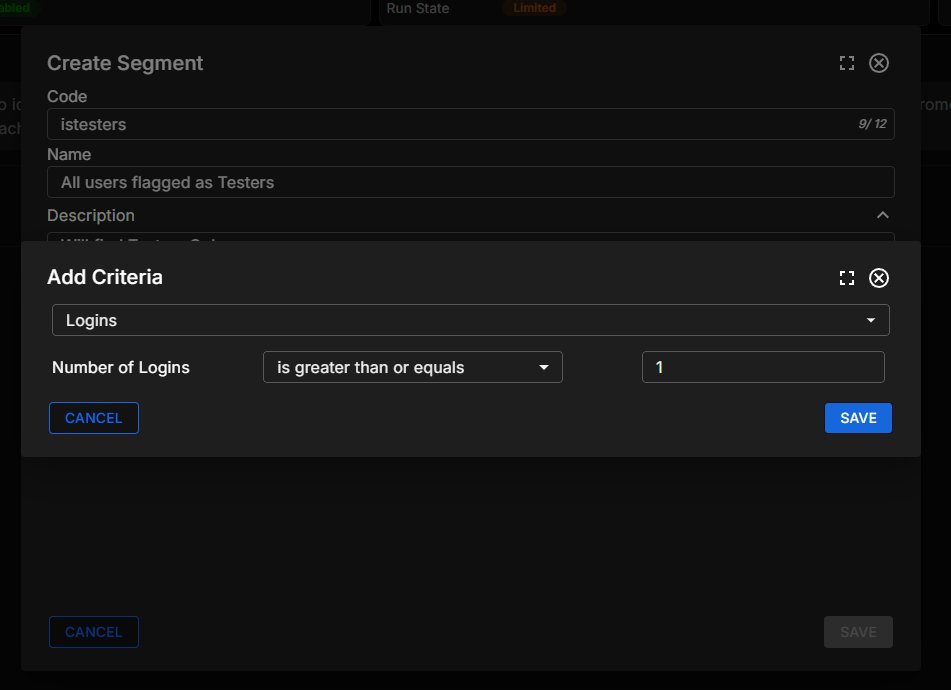
Save this Segment
IMPORTANT! Add the segment to your Promotion
This will limit the promo to only eligible users. Noone else sees it!
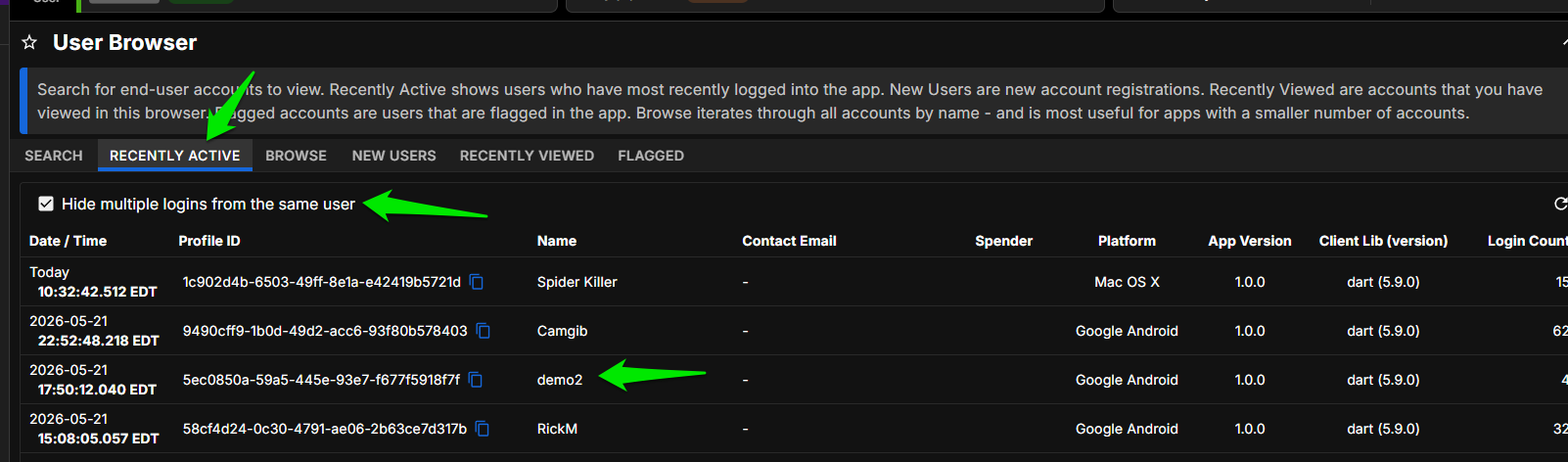
Next we will need to flag some users as Testers. For a DEV app, the easiest way to do this is to go to the User Browser, RECENTLY ACTIVE and pick players (your testers) with recent activity.
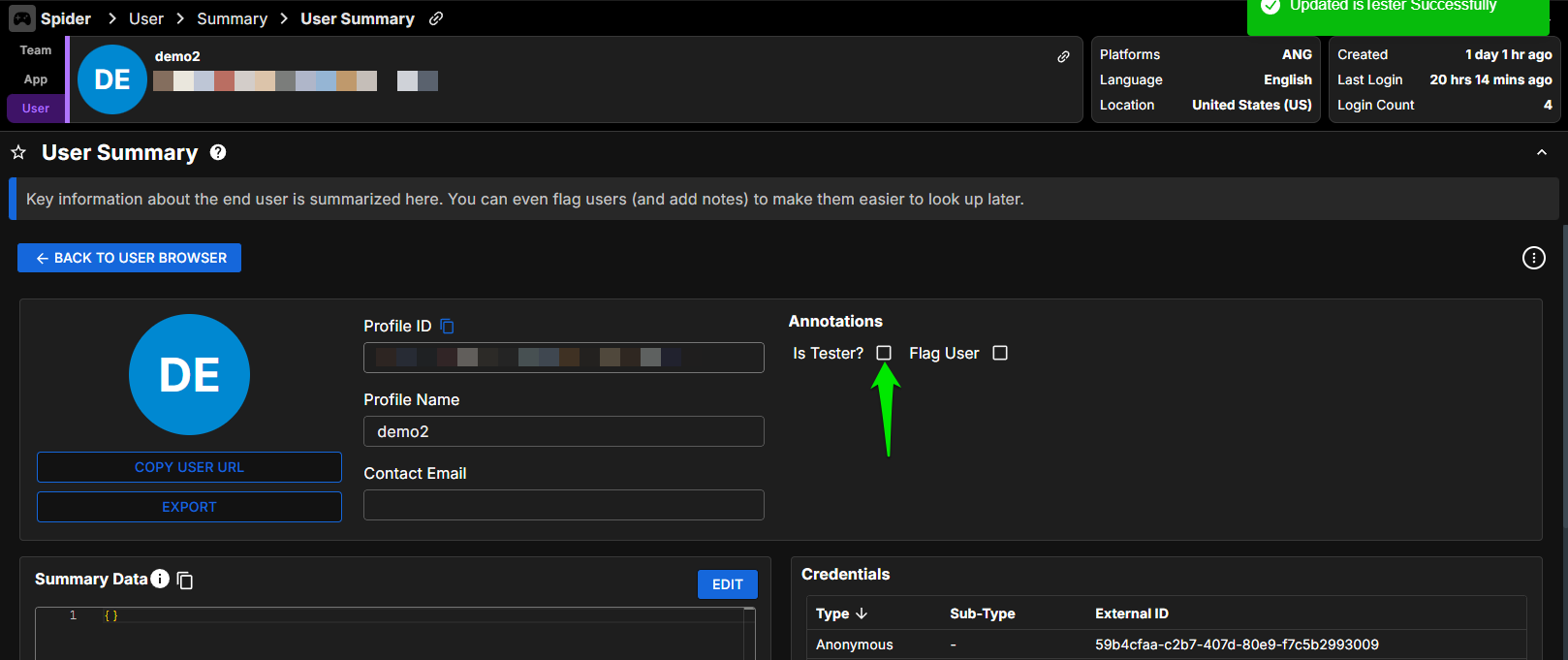
GO TO USER to bring up their user summary and check the IsTester checkbox.
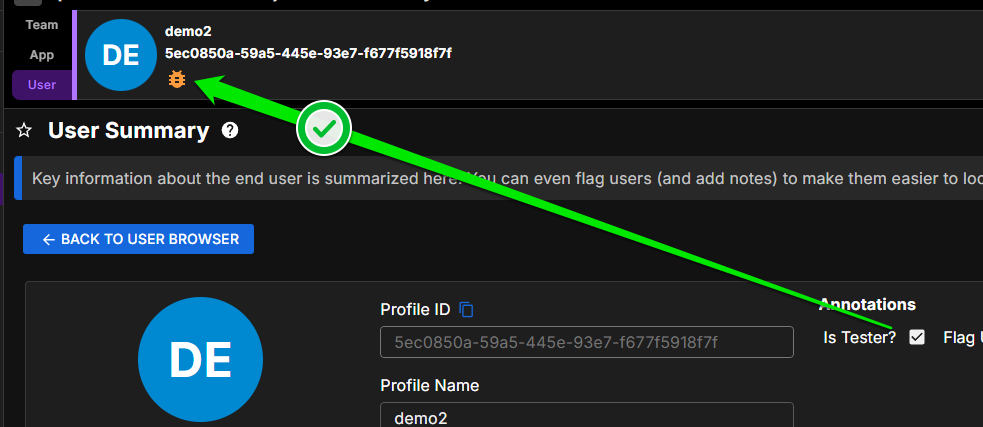
Testers get a special icon
Next, we will return to Segments.
Segments are automatically processed overnight, but you can Refresh Segments immediately with the REFRESH SEGMENTS button. Please note: refreshing segments processes every player so this process can take a while and preferably left to low-traffic times of day.

After processing completes, we can check the cohort of testers by returning to the User Browser choosing BROWSE, and Browse Within A Segment.
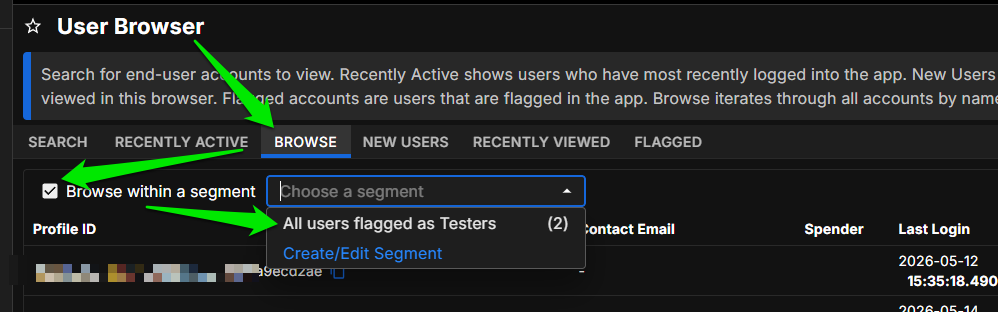
These are my Testers, so everything worked.
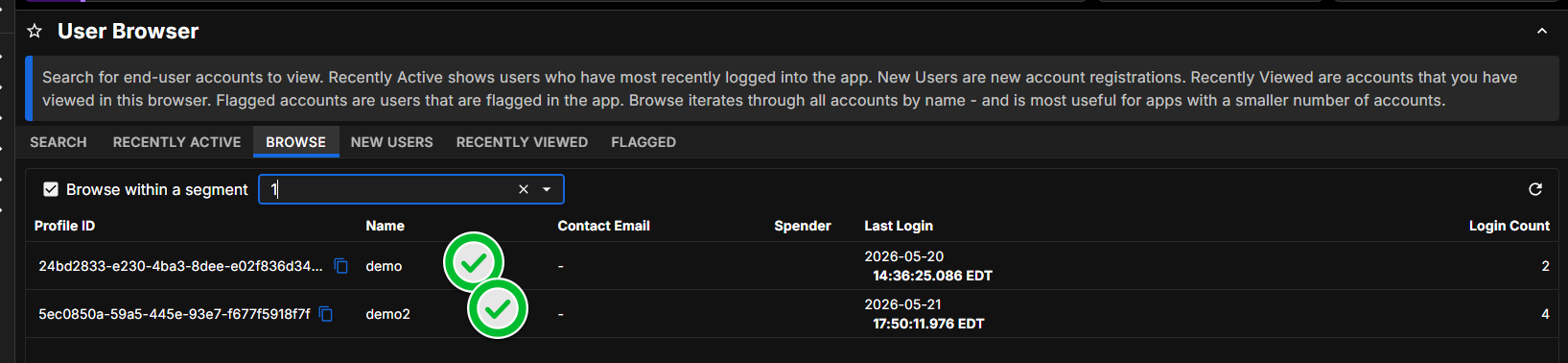
Since only testers are eligible for the promotion, you are free to deploy it to PROD without affecting your monetization. And the PROD Testers you select will be able to gain the workflow benefit of no ads.
Could you let me know if this solution solves your problem?
Let me know if you have any questions,
Regards
John
-Design -
G gyutaelee has marked this topic as solved on

Hello! It looks like you're interested in this conversation, but you don't have an account yet.
Getting fed up of having to scroll through the same posts each visit? When you register for an account, you'll always come back to exactly where you were before, and choose to be notified of new replies (either via email, or push notification). You'll also be able to save bookmarks and upvote posts to show your appreciation to other community members.
With your input, this post could be even better 💗
Register Login