
How to let a user request Email Password Reset when they aren't authenticated?
-
Hey all,
Trying to let email-and-password users request a password reset if they forgot their password.
While using resetemailpasswordwithexpiry, I got this error:"{\"reason_code\":40304,\"status\":403,\"status_message\":\"No session\",\"severity\":\"ERROR\"}"I believe this is a error msg stating that there's no user authentication, so the user can't make the request, is that right? If so, how can I achieve this? Shouldn't a user be able to request a password reset without being logged in?
Any insight is appreciated, thanks!
-
Hi Kuabs, you can use brainCloud webhooks to achieve this feature, the steps are as follows.
- Create a cloud code script, in this example use the name "webhook_forgotPassword", and paste the following code into the script.
"use strict"; function main() { var response = {}; bridge.logDebugJson("Script inputs", data); var userEmail = data.parameters.email; response.stringResponse = "webhook is processing user email reseting..." + data.parameters.email; // validating the user email if (/^\w+([\.-]?\w+)*@\w+([\.-]?\w+)*(\.\w{2,3})+$/.test(userEmail)) { // checking if the email is existed in brainCloud users var context = { "pagination": { "rowsPerPage": 20, "pageNumber": 1 }, "searchCriteria": { "emailAddress": userEmail }, "sortCriteria": { "playerName": 1 } }; var userProxy = bridge.getUserServiceProxy(); var postResult = userProxy.sysGetPage(context); if (postResult.data.results.count > 0) { var userProfileID = postResult.data.results.items[0].profileId; // sending password reset email postResult = userProxy.sysSendPasswordResetEmail(userProfileID); if (postResult.status == 200) { response.stringResponse = "password reset email has been sent to user's email:" + userEmail; } else { response.stringResponse = "system error with sending email..."; } } else { response.stringResponse = "user doesn't exist with the email you provided"; } } else { response.stringResponse = "user's email is invalid."; } return response; } main();-
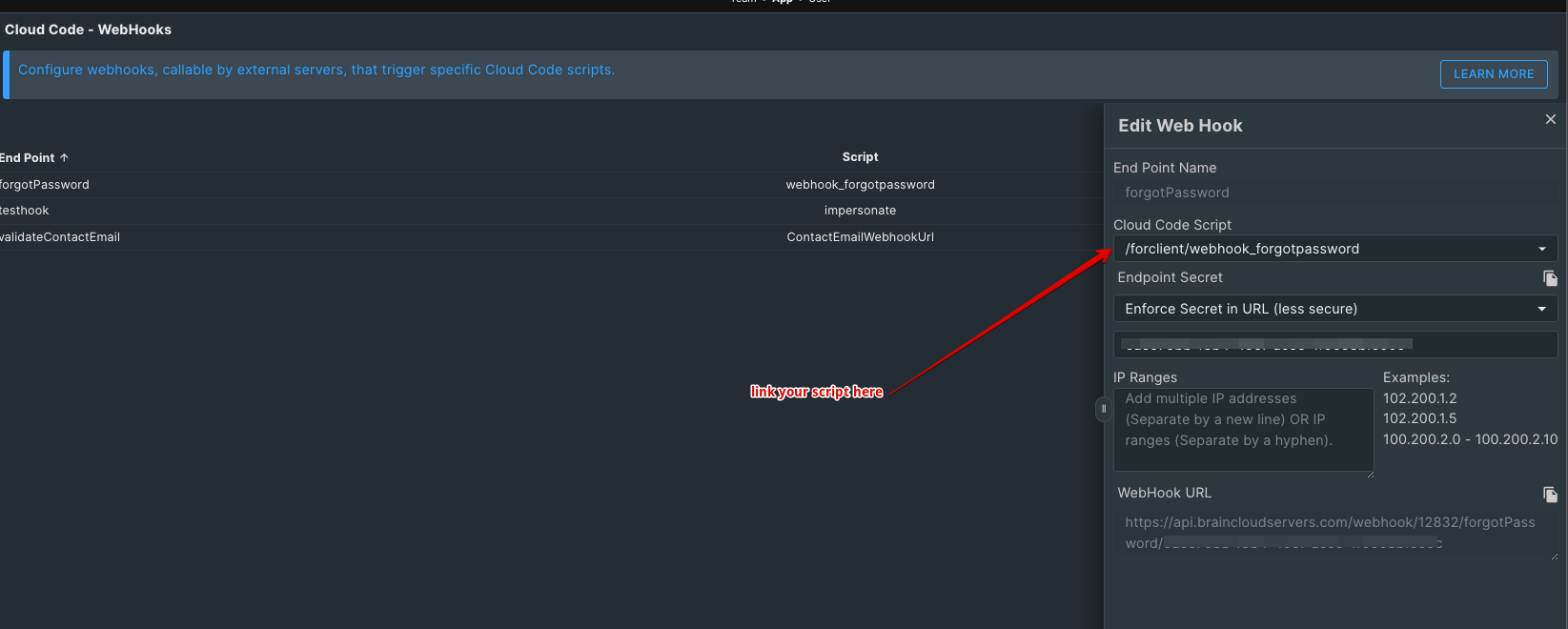
Open Design | Cloud Code | WebHooks page, and create a WebHook link to the script you created from the previous step. Copy down the WebHook URL for the next step.
-
Now, you have completed the work from brainCloud. Next, open your client app editor (if you are using Unity), define the WebHook URL as a variable, and link it to your forgotEmail object (could be a link or button in your app) onClick event, making it trigger this URL when the user clicks with Application.OpenURL command. Grab user inputted email and append it as an email parameter to the URL as follows:
const string passwordResetWebhookUrl = "https://portal.braincloudservers.com/webhook/12832/forgotPassword/6dc675bb-f8b4-495f-ac5e-1f0658bfe09c"; Application.OpenURL(passwordResetWebhookUrl + "?email=" + userEmail); -
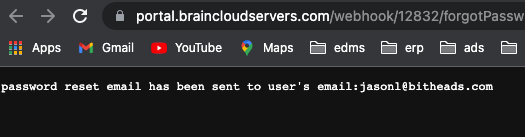
Run your app to test, you should get a similar pop-up window as follows once a user clicks the forgotEmail object,
-
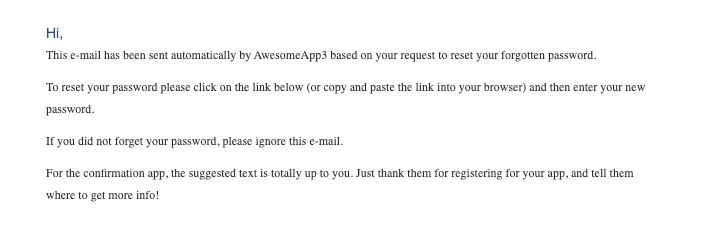
Check the reset email in your test email account...
Hello! It looks like you're interested in this conversation, but you don't have an account yet.
Getting fed up of having to scroll through the same posts each visit? When you register for an account, you'll always come back to exactly where you were before, and choose to be notified of new replies (either via email, or push notification). You'll also be able to save bookmarks and upvote posts to show your appreciation to other community members.
With your input, this post could be even better 💗
Register Login